> For the complete documentation index, see [llms.txt](https://docs.hyperion.xyz/llms.txt). Markdown versions of documentation pages are available by appending `.md` to page URLs; this page is available as [Markdown](https://docs.hyperion.xyz/security/hyperauth-passkey.md).
# Hyperauth (Passkey)
### What is Hyperauth?
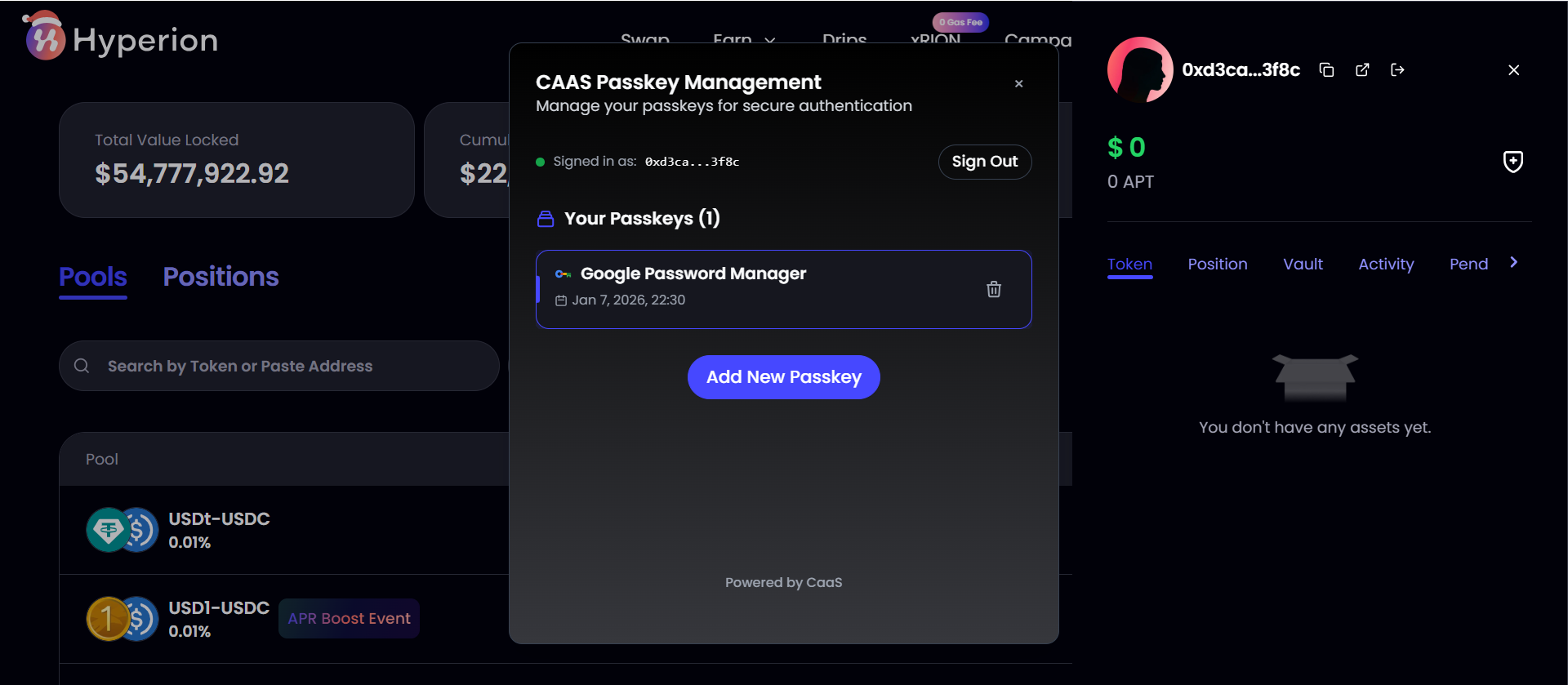
HyperAuth lets you link a passkey to your Hyperion account, acting as a second factor for sensitive operations.
When performing high-risk actions like:
\- Removing LPs, or
\- Claiming frozen or locked assets,
HyperAuth ensures that only you can authorize those transactions — even if someone else has your seed phrase or private key.
### How It Works
Hyperauth — it’s fully on-chain.When you set up HyperAuth:
* Your encrypted public key is stored on Aptos.
* Your private key for the passkey remains entirely local to your device.
Each time you attempt a protected action, Hyperion’s smart contract requests verification through your registered passkey. Only after successful verification will the transaction be signed and executed — no servers, no intermediaries, no trust assumptions.Everything happens on-chain, transparently and securely.
### Why It Matters
HyperAuth strengthens the foundation of asset security in DeFi:
On-Chain 2FA — Adds an additional protection layer to critical actions, without compromising decentralization.
Self-Sovereign Control — Your passkey stays local; only a public hash is stored on-chain.
Protection Against Key Theft — Even if someone gets your wallet key, they can’t access your LPs or frozen assets without your second-factor passkey.
### Guide
Before you start please make sure
* You are operating on your PC (note that Hyperauth is currently only supported by browser wallet extension - it's not available on any mobile device)
* You have few APT in your wallet as gas
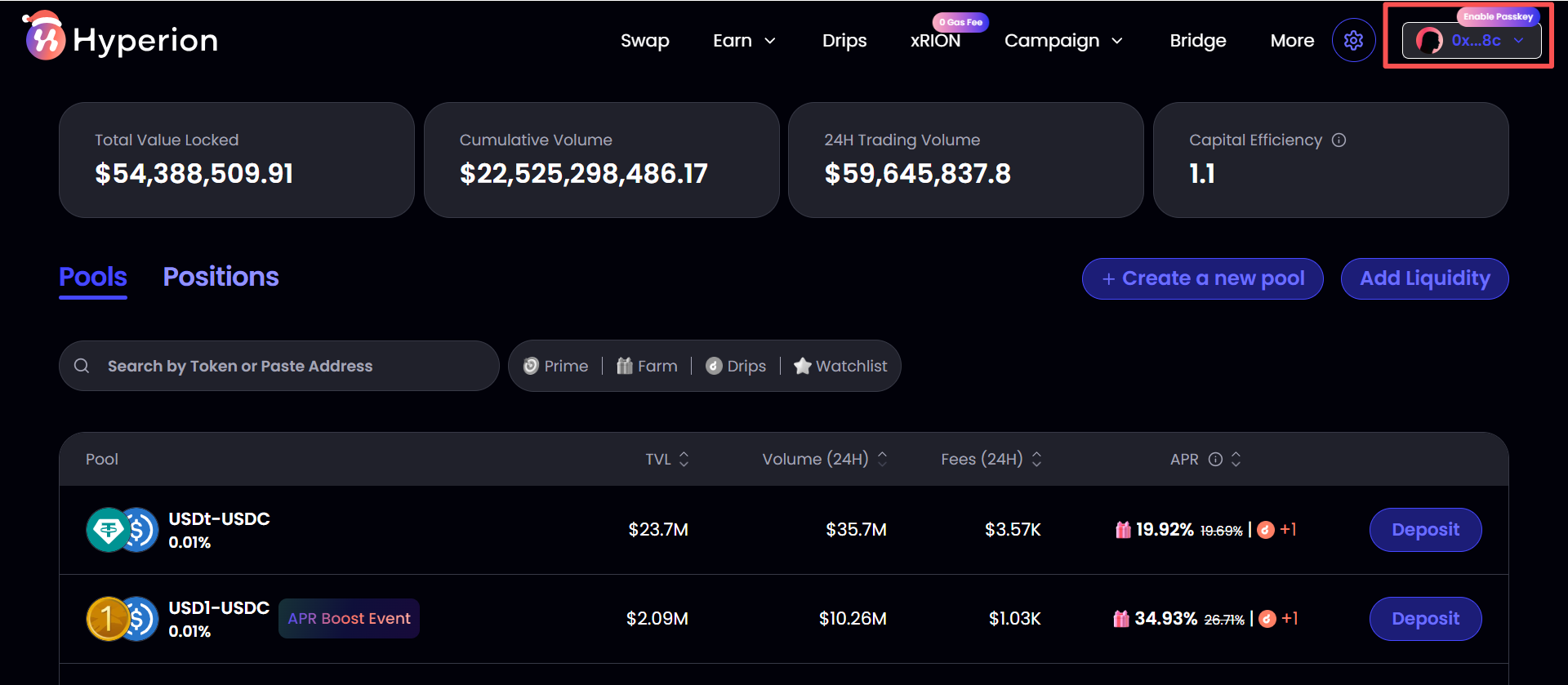
1. Click your personal profile **on your PC**
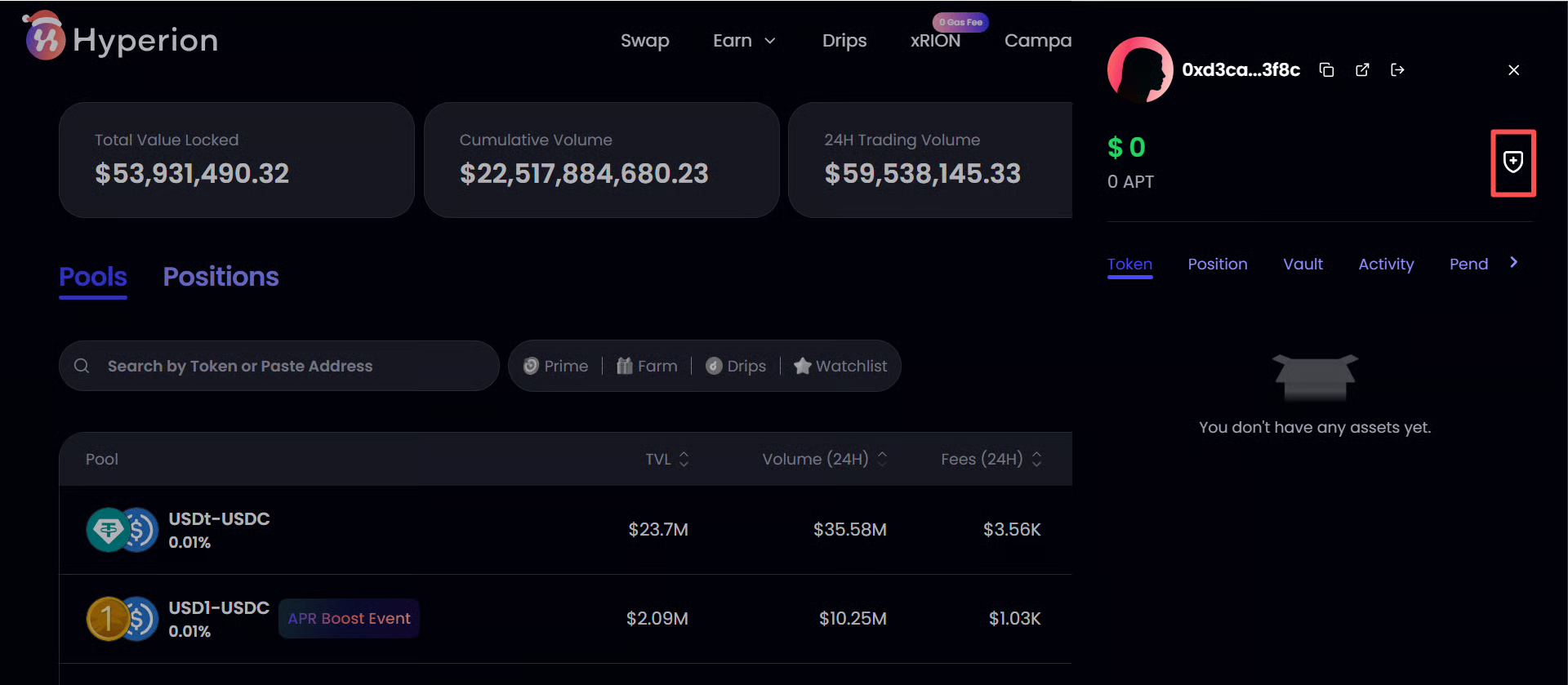
2. Click the "Shield: icon
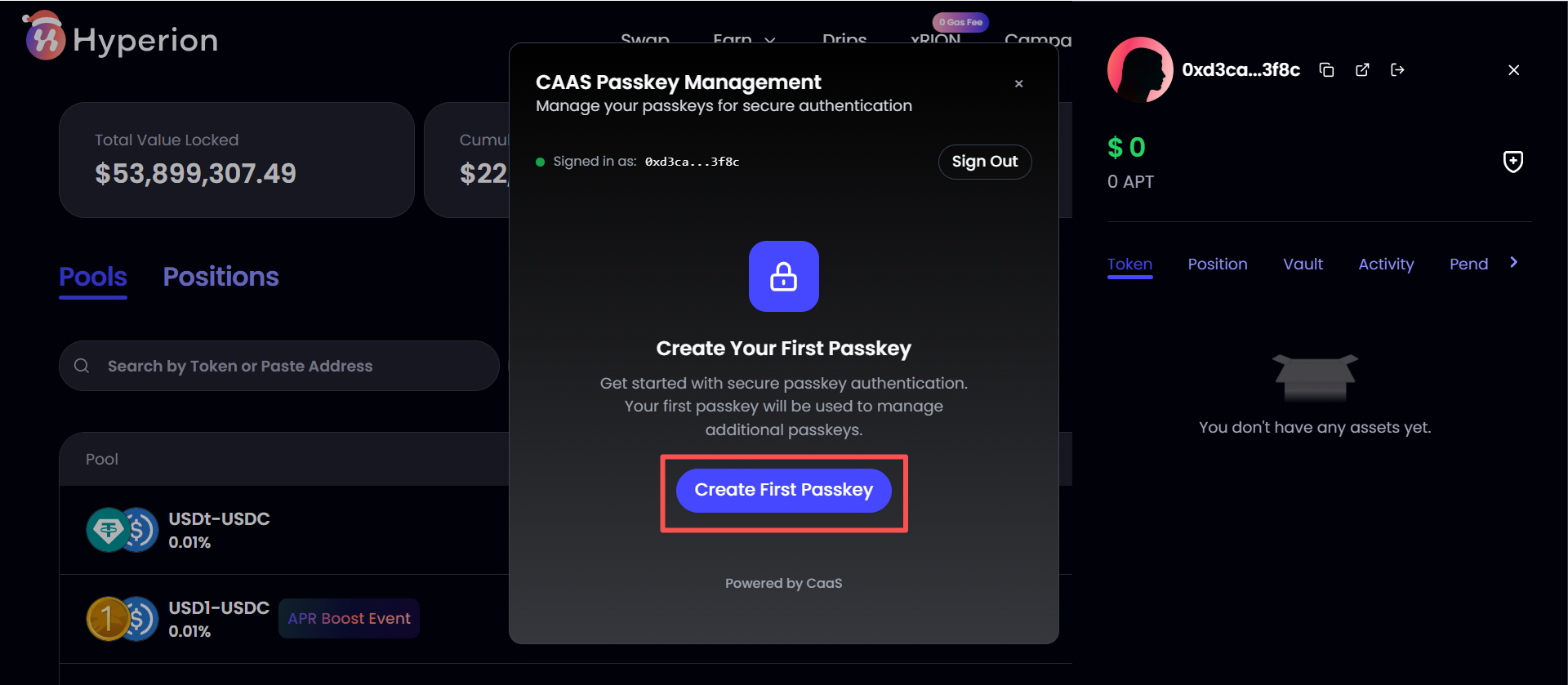
2. Click "Create Your First Passkey"
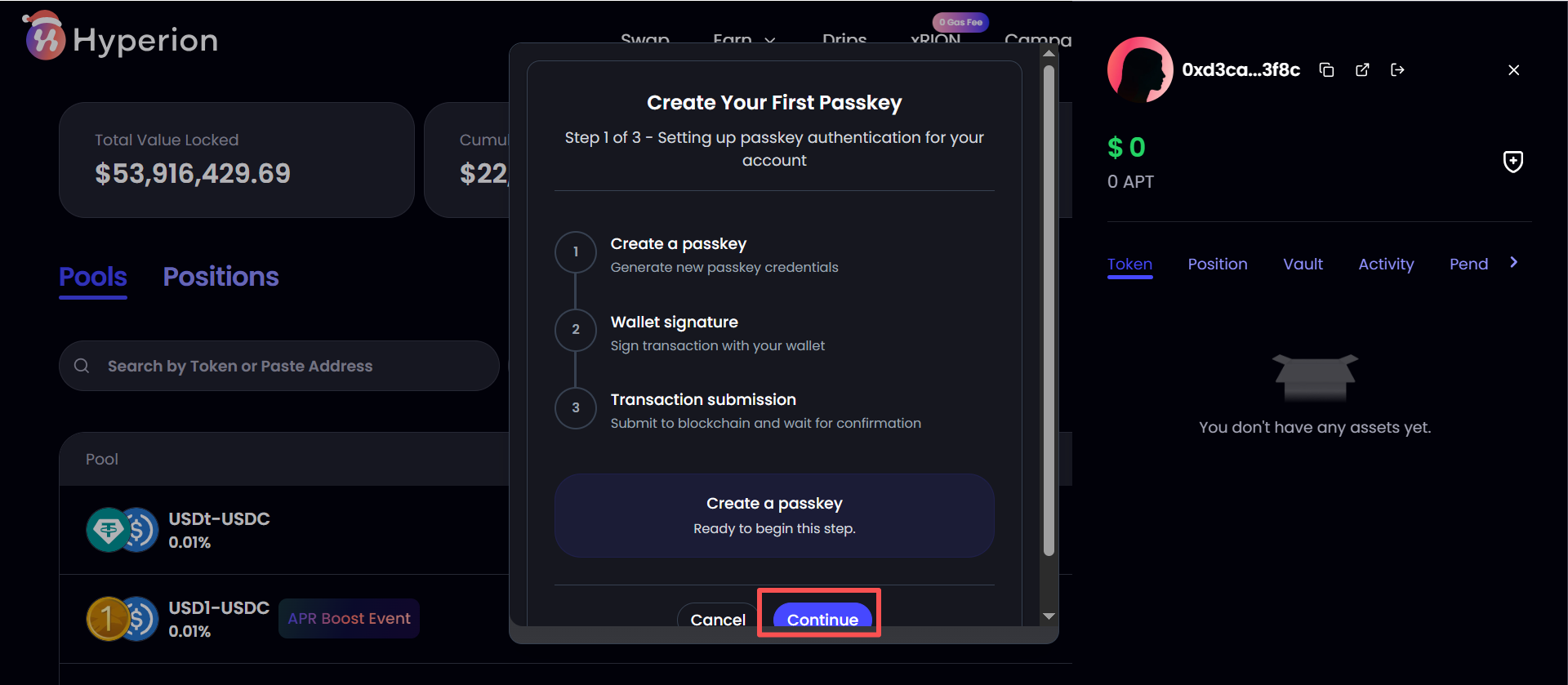
4. Click "Continue"
5. Follow the next steps to complete the Hyperauth Creation
### FAQ
#### Since Passkey is not supported on mobile devices, how can I withdraw large amount of liquidity on mobile?
If you want to withdraw in a short period of time an amount larger than $200K USD worth of asset on mobile & without Hyperauth, please directly withdraw.
When the limit is reached, a temporary withdrawal freeze is automatically triggered as a security measure.
Please wait 24 hours. After the cooldown period ends, your funds will be automatically unlocked and credited back to your account. No further action is required from your side.
#### Error "PasskeyError: This device of web browser does not support passkey. Please use a different device or web browser"
First please make sure you are activating Hyperauth from a wallet extension on PC that supports Aptos.
Then please check the following two option in [Google Password Manager](chrome://password-manager/settings)
#### Error "Can't reach Google Password Manager: Can't reach Google Password Manager. Try again in a few minutes"
Please check your internet connection status. If you are using a VPN, please turn it off or switch a node.
#### If my Passkey storage device or Google Account is stolen, are my funds still safe?
Yes. When performing high-risk actions like:
\- Removing LPs, or
\- Claiming frozen or locked assets,
The operator needs to have both of your wallet private key and Passkey.
#### What if I lost my passkey?
Please contact Hyperion dev team for support.
Or, you can create another passkey by clicking "Add New Passkey" under another device or google account. If you lost one, you can delete it by another